
mybina MY WORKSPACE Tutorial
What is the My Workspace Tab?
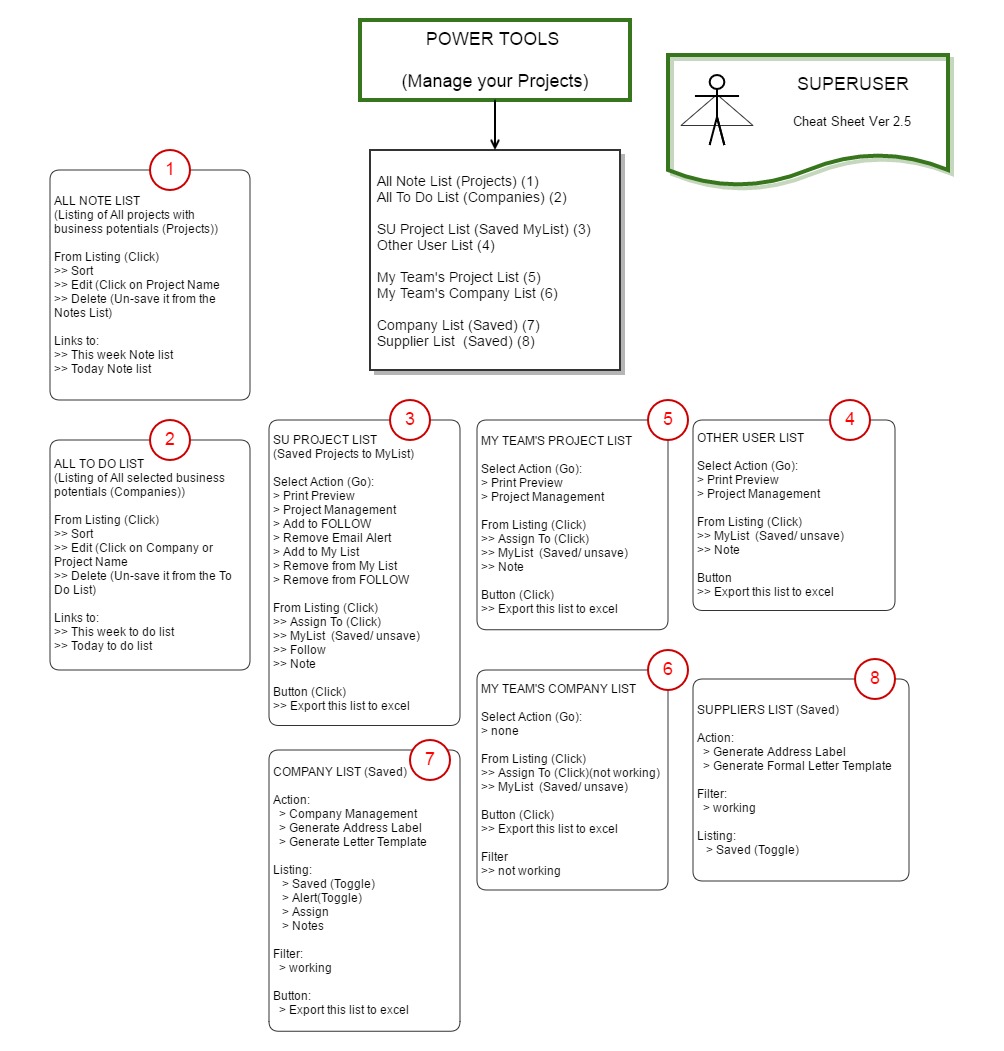
My Workspace, previously known as Power Tools, is your personal workspace designed to help you save, organise, and manage information of interest — all in one convenient place.
It consists of:
-
All Note List
-
All To-Do List
-
Saved Supplier List
-
SU Project List (SuperUser Project List)
-
Other User Project List
-
My Team's Project List
-
SU Company List (SuperUser Company List)
-
Other User Company List
-
My Team's Company List
These features allow you to save information that interests you and keep it in dedicated lists, making it easier for you and your team to organise, track, and manage the information later.
Your Workspace, Your Access
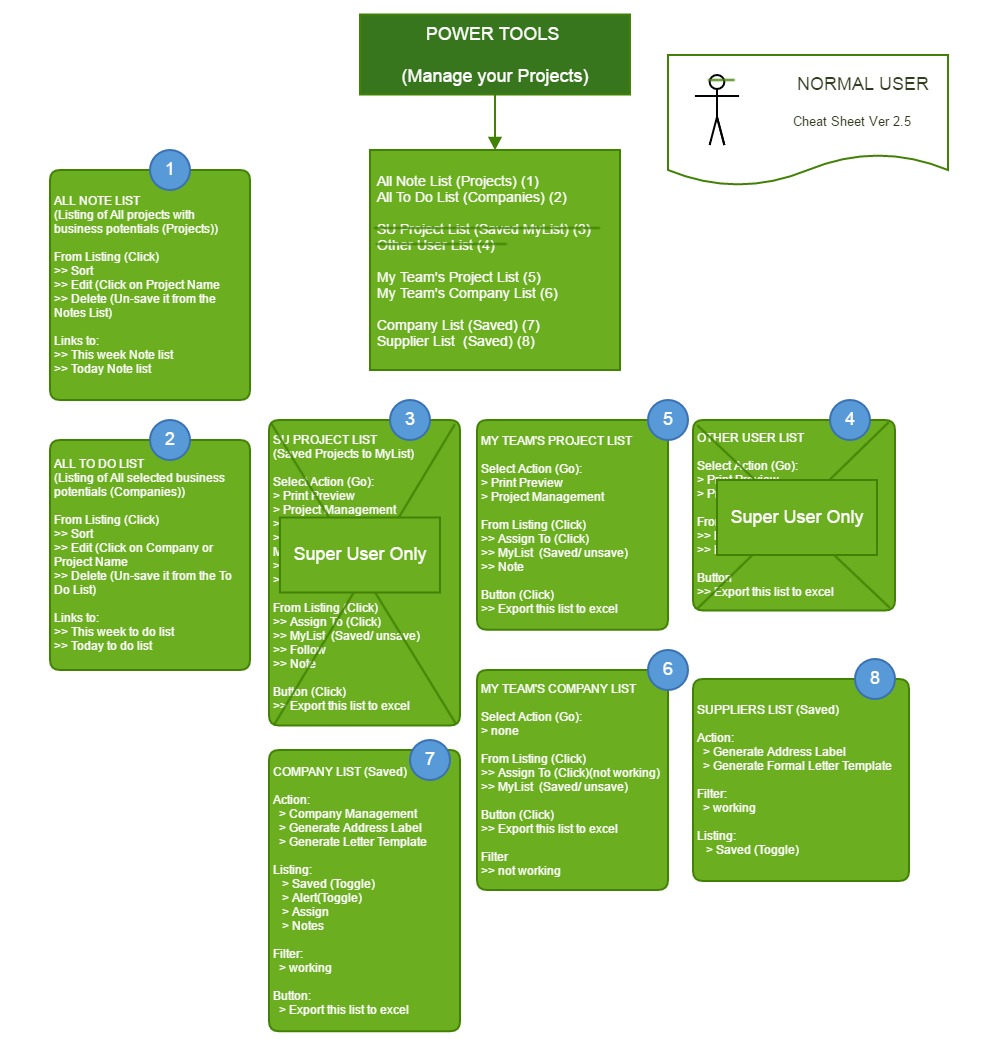
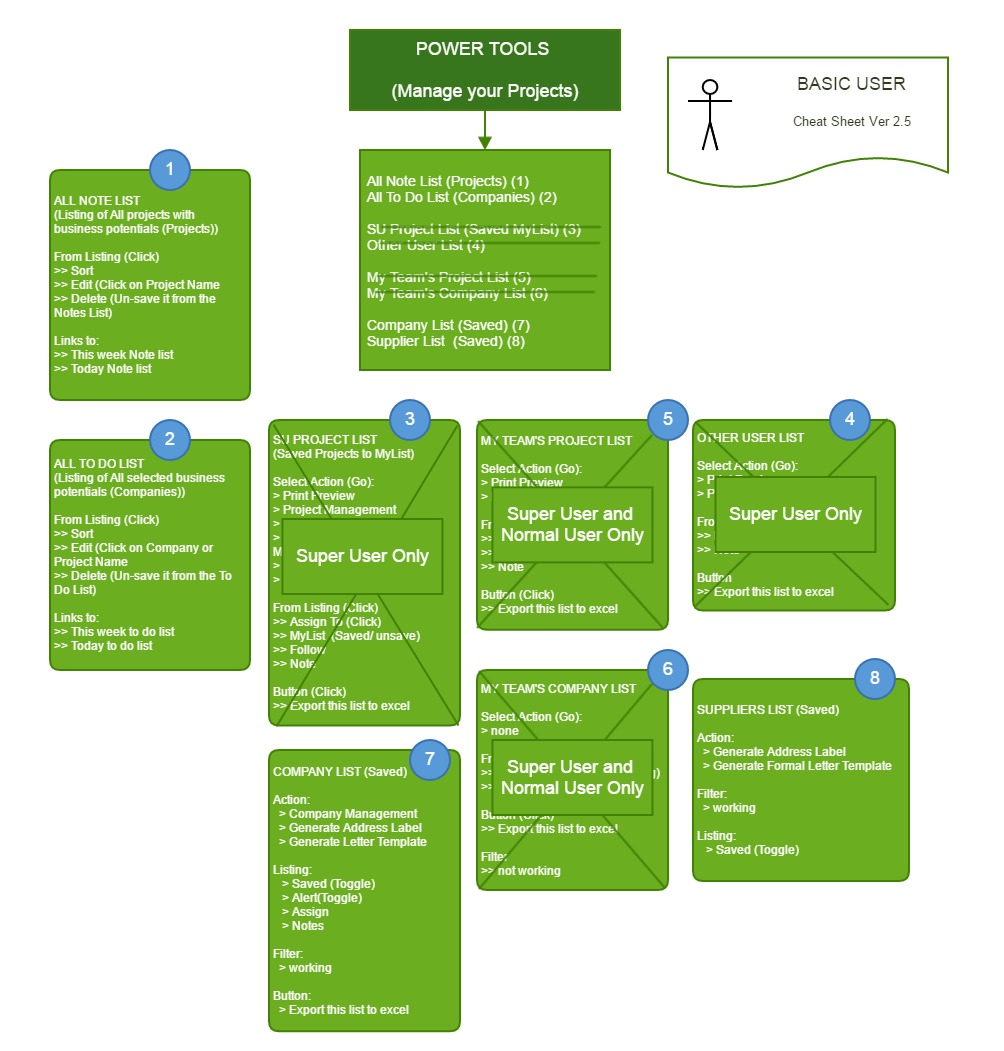
Depending on your subscription to mybina.com.my, you may have one of the following user roles:
-
SuperUser (SU)
-
Basic User
-
Normal User
Each user role comes with different access and workspace capabilities.
Here's a quick look at My Workspace (formerly known as Power Tools) and the features available to help you keep everything organised and within easy reach.
Next we will look at each one in more detail.