
mybina COMPANY INSIGHTS
What is Company Insights?
Think of Company Insights as your personal window into a company’s activity and connections in the construction industry. It shows not just their projects, but also how they interact with other players. Even historical data can give hints about ongoing or future collaborations. The insights come from MyBina’s research database—while it’s not every single project in Malaysia, it’s enough to give you a clear picture of the company’s footprint.
How to Get There
You can access Company Insights in two ways:
1. From the Company Details page.

2. From the Project Details page, under Project Contact.
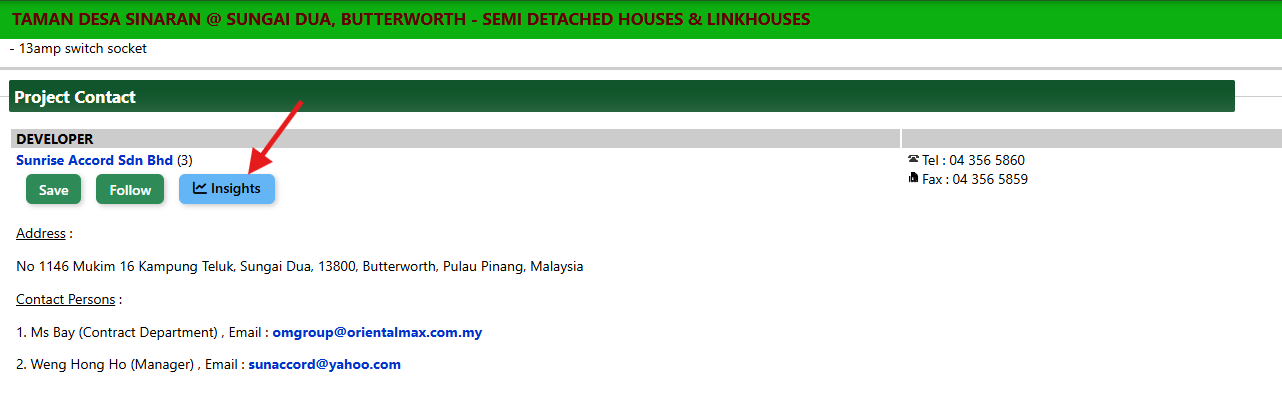
Exploring the Company Insights Page
The page is split into two main sections for easy navigation:
1. Upper Section – Quick Project Snapshot
Here, you get a bird’s-eye view of the company’s projects—both All Projects and Active Projects.
This section also includes a percentage indicator bar that displays the company’s share of projects. The percentage is calculated based on the total number, total value and average value of the company’s projects compared to the total projects in our database. You can hover your mouse over the bar to see how the percentage is calculated. It’s a quick, visual way to understand the company’s footprint in the industry.
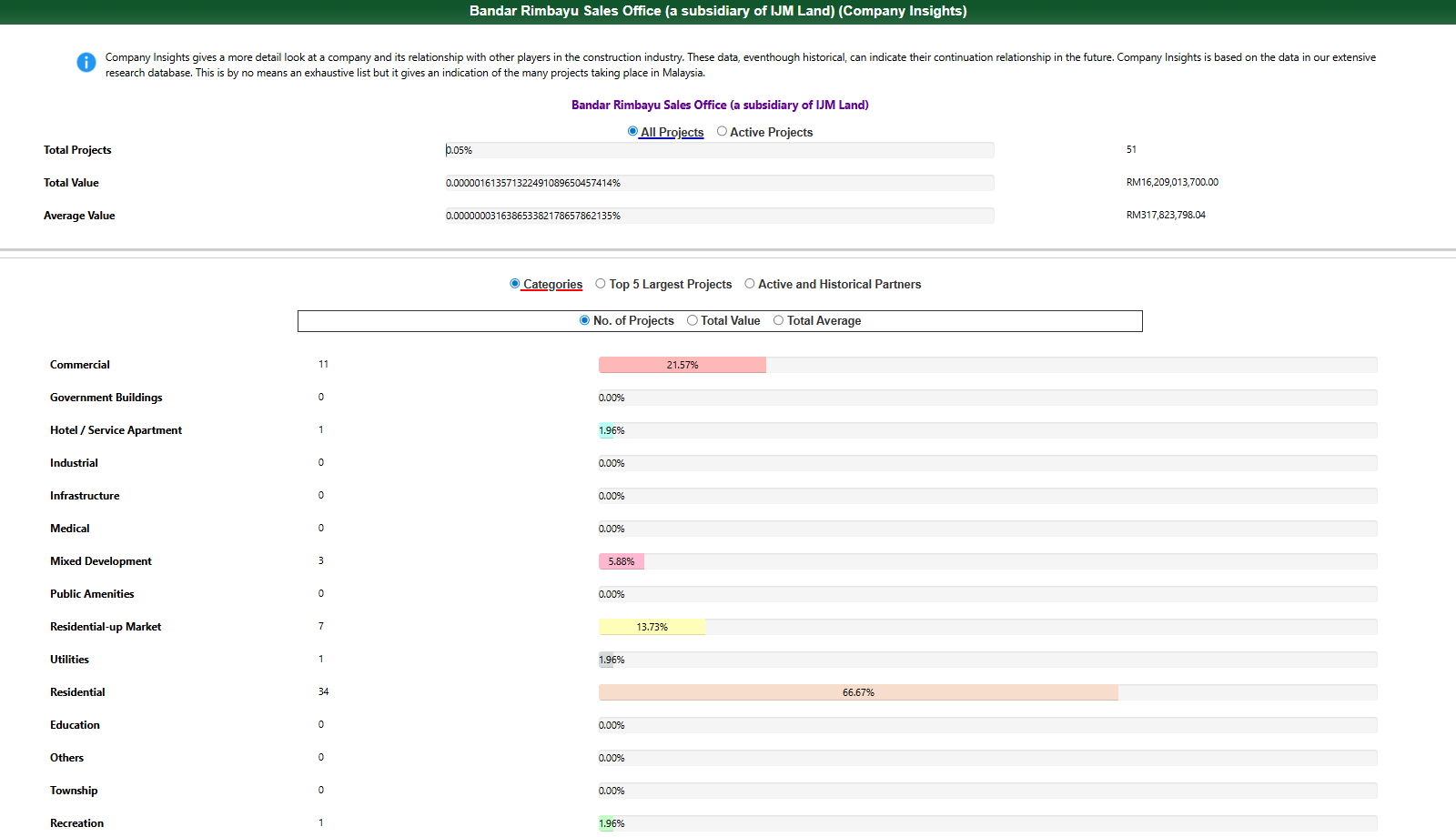
2. Lower Section – Deep Dive
This section gives a more detailed look and has three parts:
a) Categories
See how the company’s projects are spread across different categories. Each category has its own percentage indicator bar:
-
100% means the company fully covers that category.
-
0% means no projects there—easy to spot gaps!
Switch between views using the radio buttons: Number of Projects, Total Project Value, or Average Project Value. This makes comparing categories simple and interactive.
b) Top 5 Largest Projects
This part highlights the company’s five highest-value projects. It’s a quick way to see where the big investments are and which projects really stand out.
c) Active and Historical Partners
Curious about who this company works with most? This section shows all partners, sorted by total number of projects together. Just click the View link to check the projects you’ve worked on together. It’s a simple way to get a full picture of the company’s key relationships at a glance.
That’s a wrap! With Company Insights, you can quickly understand a company’s projects, see their biggest contributions, explore their categories, and discover who they work with most. Think of it as your shortcut to knowing the company inside out—all in one easy-to-read dashboard.or side-by-side analysis, making it easier to compare companies at a glance.